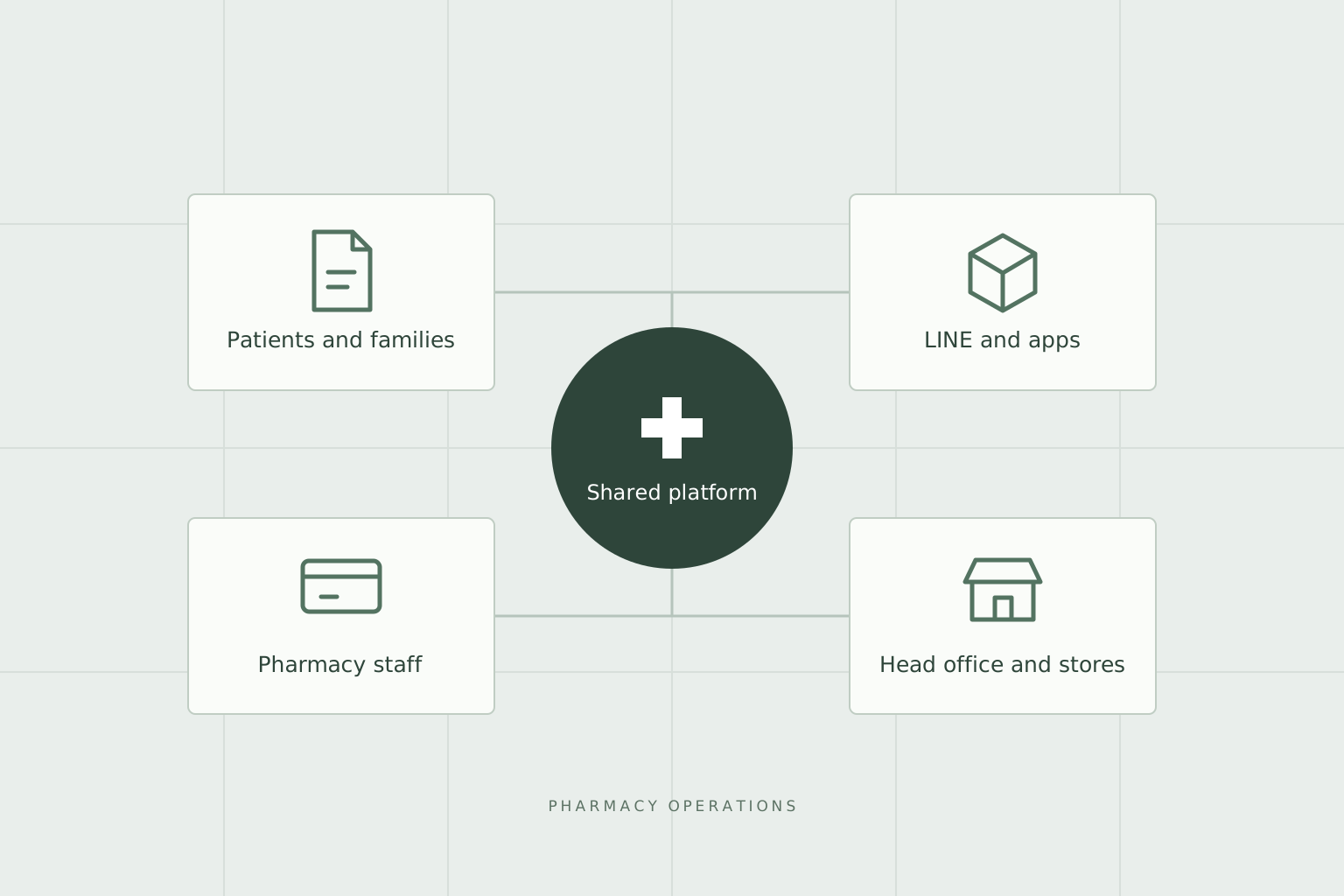
This is a conceptual diagram showing the connections in pharmacy operations. It is not a real customer system screen.
SYSTEM OVERVIEW
01Prescriptions & Reservations
02Patient-Pharmacy Collaboration
03Medication Guidance & Follow-up
04Head Office & Store Operations
This is a conceptual diagram organizing the development scope. It is not an actual system screen or architecture diagram.
CHALLENGE
The challenge
Pre-acceptance of prescriptions, in-store reservations, patient and family information, and post-medication communication needed to be handled from the perspectives of patients, pharmacy staff, and headquarters. A system was required to connect the different touchpoints of LINE, smartphones, and in-store systems, allowing for the confirmation of daily response status.
OUR WORK
Our approach
Developed a web management interface for pharmacy staff, headquarters management, patient-facing interface within LINE, and APIs for the electronic prescription app. The system connects prescription intake and reservations to patient information, messages, medication follow-up, and online medication guidance, and also supports in-store data entry, report generation, inventory sharing between pharmacies, pharmaceutical transactions, and payments.
OUTCOME
Delivery & operations
Patients can make reservations, check their medicine records, and respond to follow-ups via LINE or the app, while pharmacies can manage reception status, patient information, and communication history through a management interface. Functions for managing store information, delivery, and payment settings are also provided on the headquarters side, connecting patient touchpoints with store and headquarters operations as a single service.
PROJECT STORY / BUSINESS & ENGINEERING
Keep pharmacy work continuous from before the visit to after medication
Patient-facing app, LINE, pharmacy management dashboard, head office operations. Creating each separately won't connect the response history. We'll introduce how we connected patient touchpoints with daily pharmacy operations.
Consider the work before and after the reception
The touchpoints between pharmacies and patients are not just the time when patients pick up their medication at the counter. Before visiting, there is the transmission of prescriptions and reservations, and after receiving the medication, there are communications and answers to questions about medication. Patients use smartphones, and pharmacy staff handle daily reception and patient information through a management screen.
This project connects prescription reception/reservation, patient information, electronic medicine records, messages, and medication follow-up as a single service. A screen for managing store information, delivery, and payment settings is provided at the head office, and both the patient experience and the work of stores and the head office are included in the development scope.
What's important is not the number of app features, but that information generated at a touchpoint can be handled by the next person in charge. Who's record to view after confirming a reservation, where to check if a question sent has been answered. We organize these connections by business unit.
LINE account and patient/family records are not the same
Even when using LINE for communication with patients, you cannot directly consider the LINE account as a patient record. This is because there are situations where family records are handled, and when patients use multiple pharmacies. It is necessary to organize the relationship between contact information, the patient themselves, and the patient information managed by the pharmacy.
The system has a configuration that includes LINE integration, linking patients and their families, recording in the patient-facing app, and handling patient information per pharmacy. The pharmacy staff collaborate, and patients access the necessary information from within LINE's interface or the app.
This is not just a login function.Design for considering whose records and from which perspective to handle themIt is necessary to consider both the ease of use for patients and the information management on the pharmacy side.
Don't end medication follow-up with just 'sendable'
In follow-up communication after medication, it is necessary to have a mechanism to check the subsequent situation, not just the function to send questions. The scheduled delivery, actual delivery, and received responses are each different states.
With the developed management functions, you can check follow-ups based on conditions such as the question template, scheduled delivery, delivery date, response date, delivery status, and response status. By handling unanswered, partially answered, and fully answered cases separately, it provides information for tracking the status of responses, rather than just displaying messages in a list.
Furthermore, it combines the management of responses and correspondence status with the generation of reports. This setup ensures that interactions with patients are not just one-time conversations, but are connected to business records that staff can verify. Professional judgment on the content of responses is the responsibility of the pharmacy.
Online consultations are not separated from appointments
It includes a feature that links video calls to appointments as a touchpoint for online medication guidance. Not only does it provide a room for the call, but it also associates the call with the specific appointment, allowing the pharmacy to handle the appointment and patient information together.
If the guidance for patients and the staff's management screen operate separately, there will still be work left to reconcile appointments and calls. Here, we place the online touchpoint within the existing appointment process. When adding a new communication method, we also consider the human verification steps before and after.
Connect in-store data with smartphones
Even if a new application is provided, the existing prescription data and printing operations in the pharmacy will not disappear. This project includes data import in JAHIS and NSIPS formats, collaboration with in-store clients, PDF forms, notifications, and background processing.
To establish a patient-facing medication record, it is necessary to consider not only how the screen is presented, but also where the original information comes from and which patient records it connects to. We treated the pharmacy's Web, LINE screen, API for the app, and in-store touchpoints as part of the same business process.
It also includes features that support inventory sharing between pharmacies, as well as the listing, purchase requests, approvals, transactions, invoicing, and settlement of pharmaceutical products. This platform covers not only patient-related interactions but also the operational tasks on the pharmacy side, which defines the scope of this development.
What to consider when designing a service with multiple touchpoints
What can be inferred from this case is that simply increasing the number of screens according to the number of users is not sufficient. The information handled and the way work progresses differ between patients/families, pharmacy staff, and the head office. It is important to connect the necessary information while maintaining these differences.
The development approach taken by Famgia is to consider patient touchpoints and business systems together. It involves structuring a series of tasks such as reception, communication, confirmation, and recording, including data input and notifications. This is a design theme applicable to existing businesses launching new apps or services.
WHAT WE BUILT
Specific construction scope.
The tasks I was responsible for in this project 6 system areas.
01
Pharmacy Staff and Head Office Management Screen
A pharmacy-oriented Web for handling patients, prescription history, reservations, and inquiries, and a head office-oriented Web for handling store information, announcements, delivery, and payment settings. It is operated according to the business tasks and roles.
02
LINE Patient Communication
Integration with LINE accounts, linking patients and families, individual messages, mass distribution, rich menus, and connecting reservation and response screens within LINE.
03
Electronic Prescription Book and Patient App Integration
API that supports prescription history, medicine registration, QR code import, medication reminders, pharmacy search, and notifications. Links records of patients and their families, and patient information per pharmacy.
04
Medication follow-up and online medication guidance
Management of follow-up question templates and scheduled sending, response and handling status, and report generation. Supports video calls related to appointments and patient guidance.
05
Import prescription data and in-store collaboration
Import JAHIS and NSIPS format prescription data, connect to medicine records and patient records. Combine with client-side collaboration, PDF forms, notifications, and background processing.
06
Inventory sharing, pharmaceutical transactions, and payment
Inventory search between pharmacies, manage listing, purchase requests, approvals, and transaction status of pharmaceuticals. Connect to billing, online payments, and payment settings per headquarters and stores.
THREE CONNECTED EXPERIENCES
Patients, pharmacies, headquarters. Connect three perspectives
Rather than cram everything into one screen We provide the necessary touchpoints for each task
Patients & families
Before going to the pharmacy and after receiving the medicine
Send prescriptions from LINE, and book pickups and consultations
Check your medicine record and family records via app and LINE
Answer medication follow-up questions and communicate with the pharmacy
Pharmacy staff
Handle the reception and subsequent responses as a continuous process
Check prescriptions, appointments, and patient information
Respond to messages and online medication guidance
Check follow-up responses and status of responses, and keep records
Head office
Support the operations of each store from the head office
Manage store information and settings
Operate announcements, LINE distribution, and rich menus.
Organize the payment settings for the head office and stores.
ENGINEERING DECISIONS
More than the number of functions, Design the connectivity of business operations.
Do not confuse people and stores.
Distinguish between the patient's own records and the patient information handled by each pharmacy. Consider cases where a family uses one LINE account or uses multiple pharmacies, and link the information accordingly.
Don't complete everything with just a new screen.
Connect LINE, patient apps, pharmacy web management panels, and in-store clients. Integrate existing prescription data formats and printing operations into daily operations.
Regular processing and subsequent verification.
Design a workflow that combines scheduled follow-up delivery, notifications, data import, and report generation, allowing staff to check responses and status of actions.
Laravel
React / TypeScript
Inertia.js
LINE / LIFF
Flutter API
JAHIS / NSIPS
PDF, notifications, asynchronous processing
RELATED SERVICES
Similar challenges, Do you have similar challenges?
We will consider the implementation method according to your company's business, data, and existing system conditions.